
Explore a new schema
Open the ER diagram, browse DbSets in the explorer, run Count and Sample actions, then write LINQ with autocomplete from your real model.
Your DbContext. One desktop app.
A LINQPad-style scratchpad for Entity Framework Core — without leaving your solution’s
build graph. Studio runs the same efvibe serve engine as the CLI and editor extensions, but
wraps it in a dedicated workspace: multiple connections, query tabs, notebooks, ER diagrams, scan review,
and team query packs.
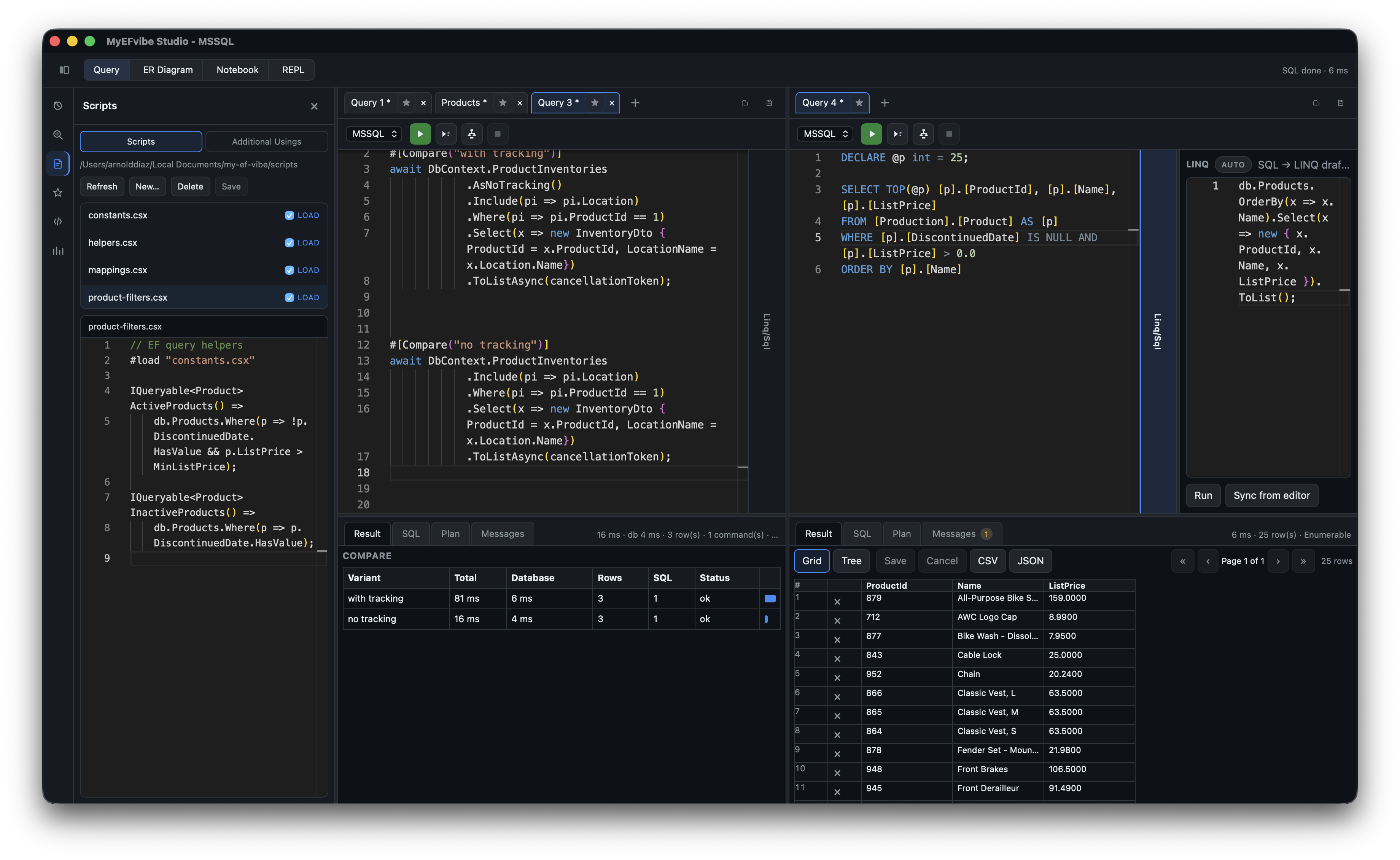
Teams that live in EF Core and need a fast, honest answer to “what SQL does this LINQ run?” — without spinning up the full API, tailing logs, or juggling three tools.
.efvibe-query with context.
.efvibe-workspace file — AdventureWorks on SQL Server, Pagila on PostgreSQL, side by side.
The CLI and VS Code / Rider extensions are excellent when you already live in a terminal or editor session. Studio is for when you want a persistent lab bench dedicated to data access work.
efvibe serve.
Concrete workflows Studio is built around.
Open the ER diagram, browse DbSets in the explorer, run Count and Sample actions, then write LINQ with autocomplete from your real model.
Paste repository LINQ into a query tab, run with plan, compare timings in Charts, tweak filters, and save the fixed expression as a favorite.
Star tabs, organize folders, export a team pack, and push favorites to a Dropbox or git-backed sync folder — without sharing connection secrets.
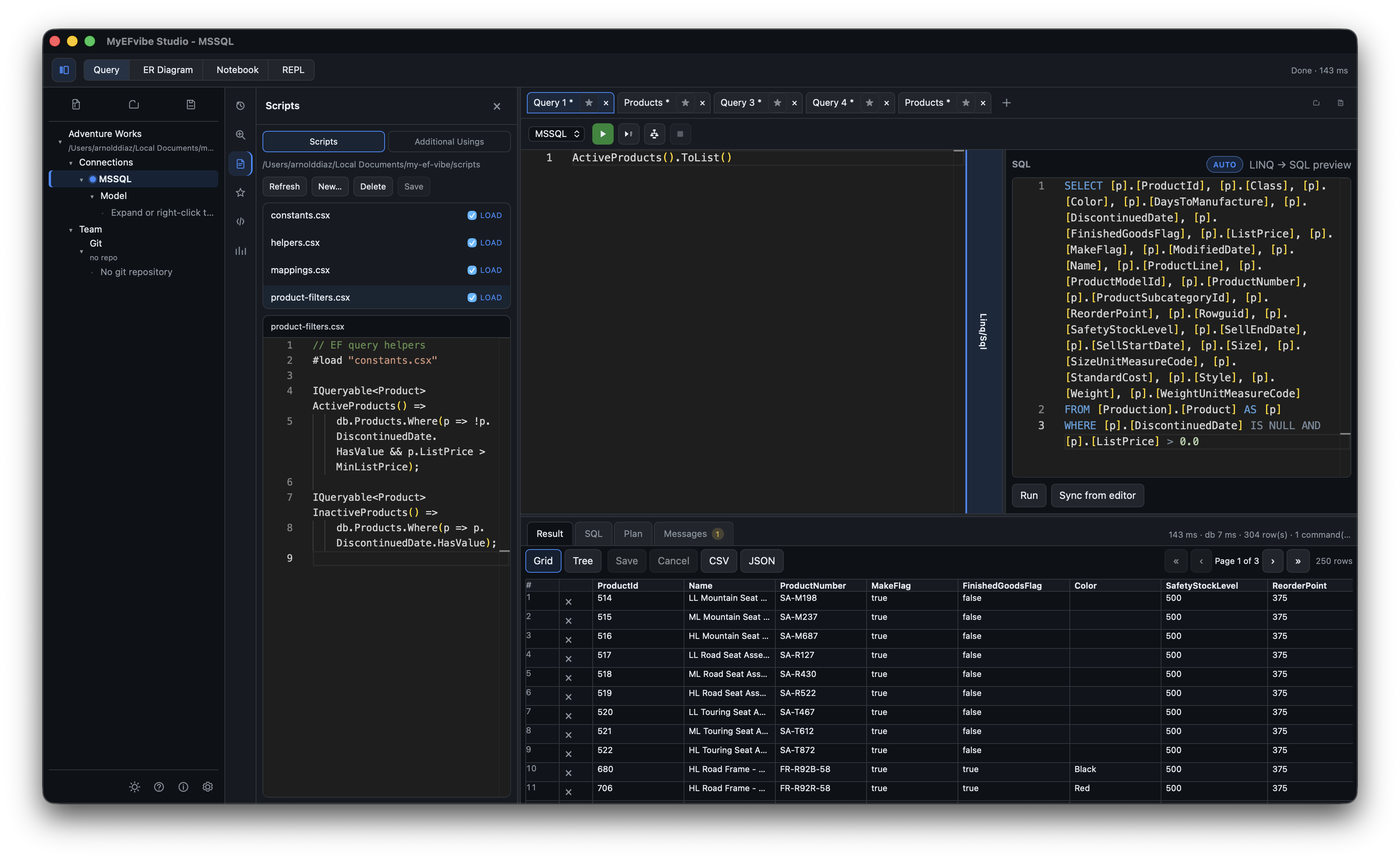
Keep .csx filters and constants beside your workspace; edit them in the Scripts panel with syntax highlighting and auto-load on connection refresh.
Paste SELECT from SSMS or pgAdmin when you need to probe the database directly; switch back to LINQ when you know the shape.
Document an investigation in markdown cells, run code cells in order, and save .efvibe-notebook files for onboarding or incident postmortems.
Everything in Studio routes through a long-lived efvibe serve daemon — fast re-runs, warm builds, stable JSON results.
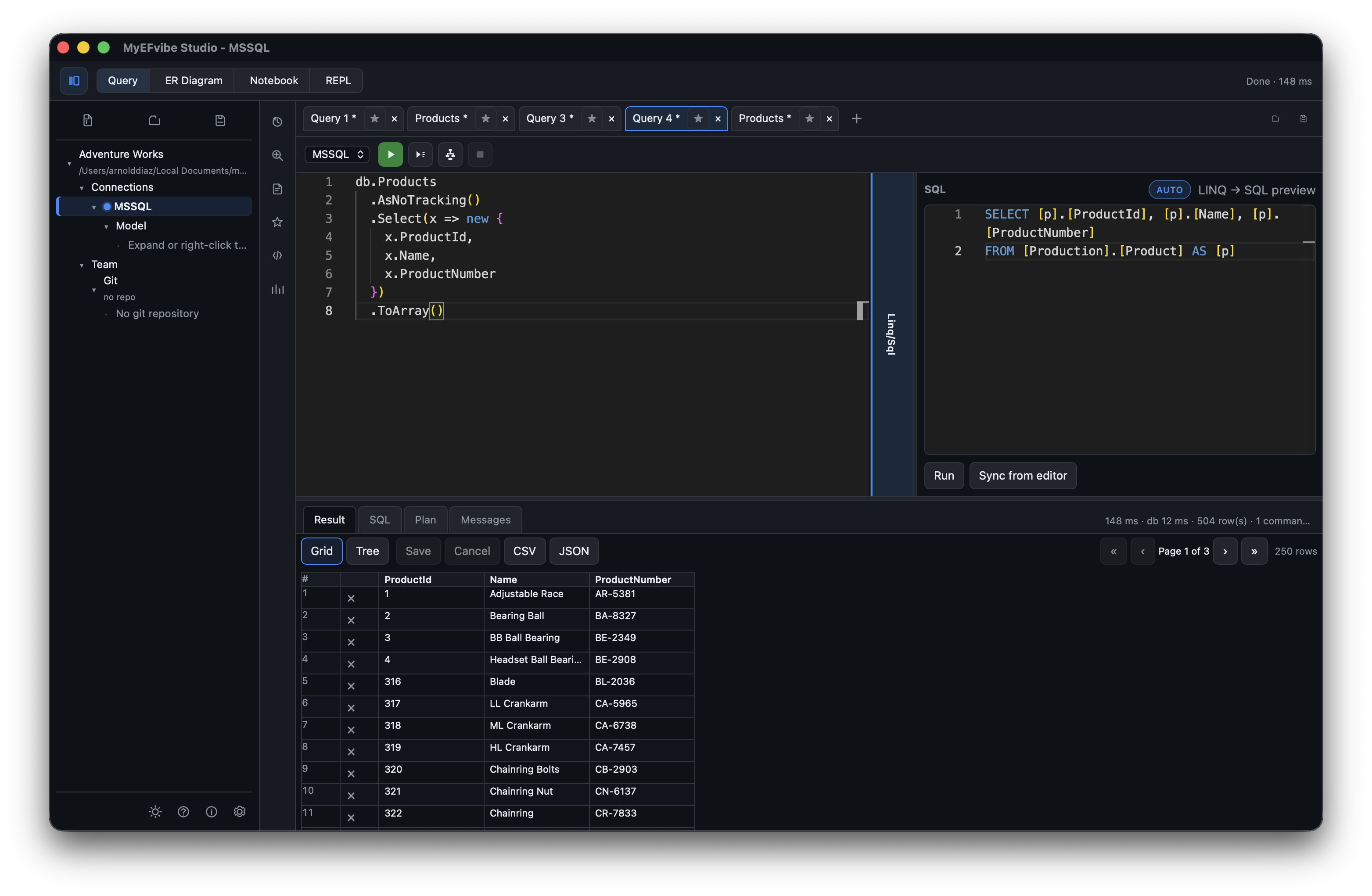
C# and SQL syntax highlighting, F5 Run all, Ctrl+Enter Run current line, optional lambda mode, and a debounced live SQL preview pane (ToQueryString() as you type).
#[Compare("label")] for multi-variant LINQ experiments and #[Benchmark(N)] for timed runs — results in the Result tab via Run all.
Fluent LINQ, query comprehension (from … in db.Set), and raw SQL — all against the same connection.
Grid, object tree, compare table, or benchmark stats in Result; SQL, plan, messages; CSV/JSON export; optional save-back for tracked entities.
Paste SQL for a draft LINQ expression (daemon sqlToLinq); preview translated SQL before you run.
EF project, startup project, DbContext, framework, connection string override, and optional secret vault.
Preload .csx helpers, additional usings, inline #load, and a default scripts/ folder beside your workspace file.
Browse, create, and edit script files from the left tool rail with C# highlighting; saves restart the daemon.
DbSet tree with Query, Sample, Count, Describe, and ER diagram actions from context menus.
Recent evaluations (7 days), timing breakdowns, benchmark bars, and compare-to-baseline when you set a baseline run.
Built-in EF snippets, custom snippets, marketplace packs, and install-from-URL for .efvibe-pack files.
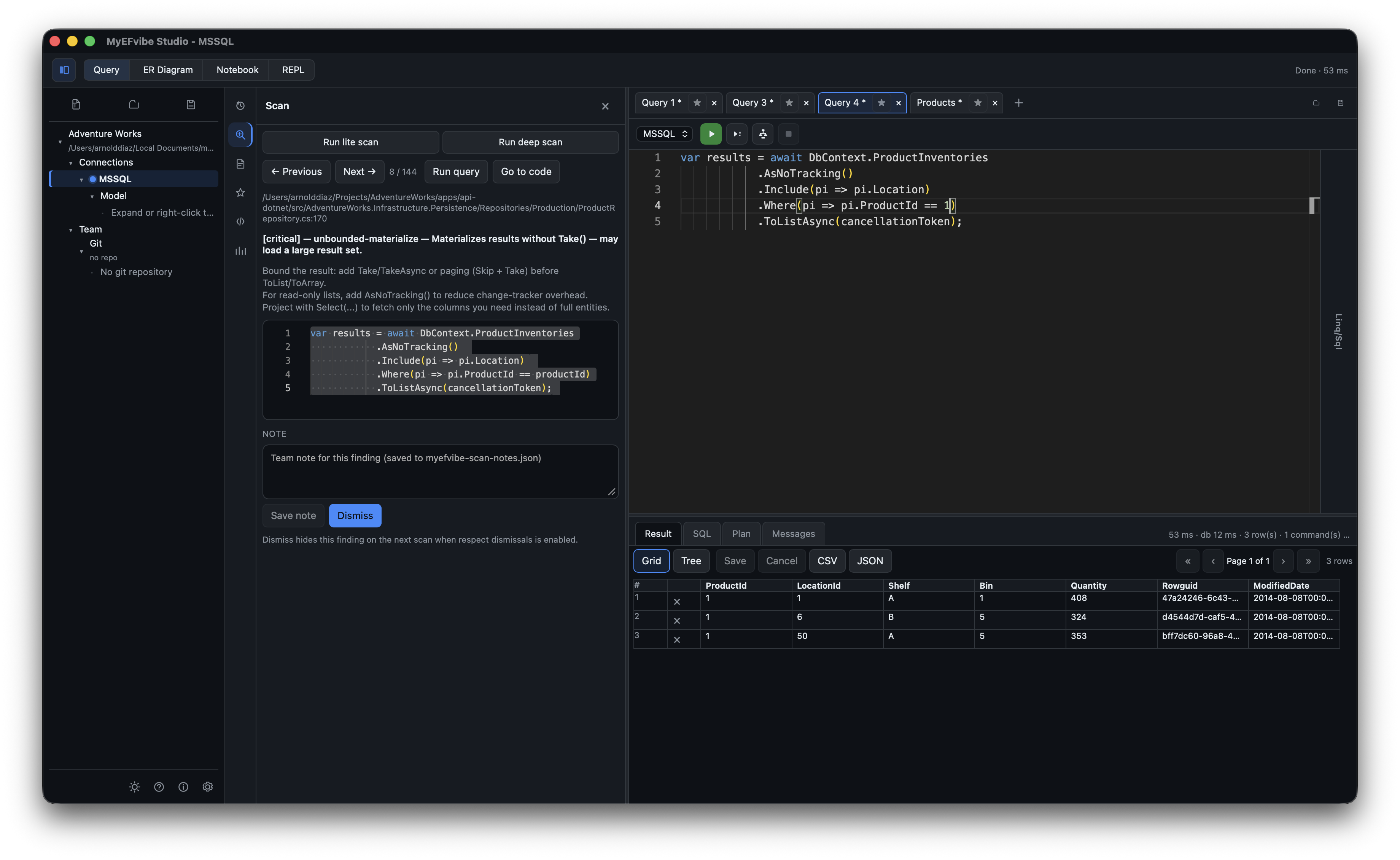
Lite and deep LINQ scans with carousel review, dismissals, notes, run-adapted-query, and open-in-IDE.
Star query tabs, folder organization, and search across open tabs and saved queries.
Code and markdown cells, run above/below, save as, inline outputs — saved as .efvibe-notebook.
Mermaid entity-relationship diagram for the active model; filter by entity from the explorer.
Full efvibe repl in a terminal pane, or open the same session in your system terminal.
Export/import team packs, sync folders, cloud sync for favorites, and commit workspace/query/notebook files from the explorer.
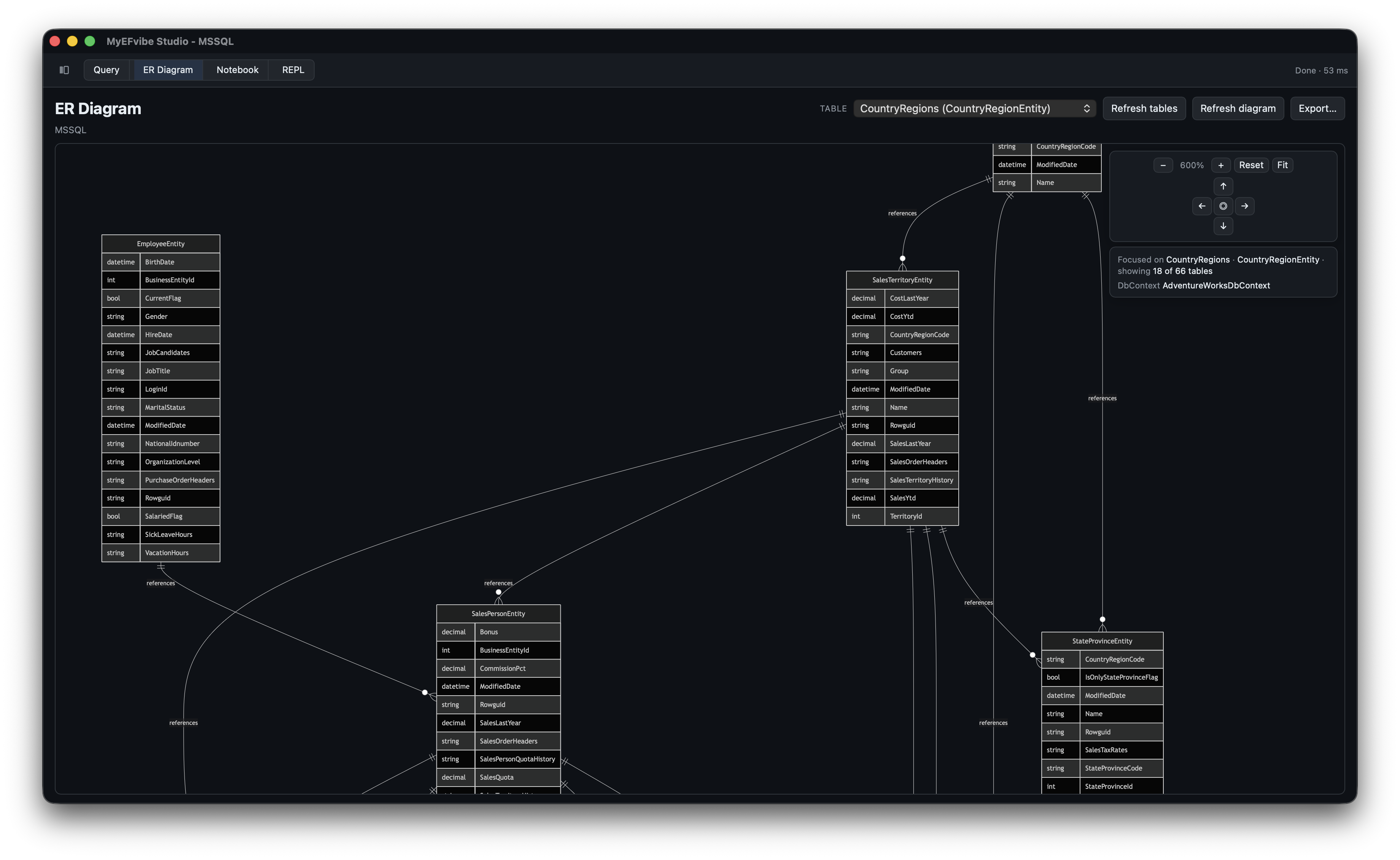
Studio builds your EF project through efvibe — same requirements as the CLI.
dotnet tool install --global efvibe or configure a tool path in Settings.
Release builds: .deb, .rpm, .AppImage, .msi, .exe, macOS arm64 — see GitHub releases.
First session, connections, query styles, editor tools, notebooks, sync, shortcuts, and troubleshooting.
Release downloads, development setup, and platform notes from the Studio repository.
Install the engine Studio depends on — REPL, serve daemon, and scan from the terminal.
How My EF Vibe fits alongside LINQPad, SSMS, and IDE database tooling.