Features
All EF roads lead to SQL. My EF Vibe is for teams who use EF Core and still need to see,
test, and gate the SQL their LINQ becomes — REPL, VS Code, Rider, scan, and query plans in one workflow
(efvibe 0.6.3).
Database providers
efvibe auto-discovers the EF provider from PackageReference entries on -p.
Reference exactly one relational provider package on the EF project.
| Tier | Providers | What you get |
|---|---|---|
| Full | SQL Server, PostgreSQL, SQLite, Oracle, MySQL/MariaDB | DbContext construction, LINQ REPL, SQL translation, :plan (where supported); PostgreSQL/SQLite naming customizers for AdventureWorks-style dumps |
| Generic | Other *.EntityFrameworkCore.* packages (e.g. Firebird) |
DbContext construction, LINQ REPL, SQL translation |
| Couchbase | Couchbase.EntityFrameworkCore when referenced on -p |
Async LINQ against Couchbase collections |
Oracle: native uppercase schemas (e.g. PRODUCTION.PRODUCT from AdventureWorks Oracle dumps)
are mapped automatically when your fluent config uses PascalCase — no manual table remapping.
Pass --connection-string to override config from the startup project (-s).
Interactive REPL
Build your EF project once per session; query with global db. Multiline input, ; to run, Shift+Enter for newlines, command history.
- Translated SQL (
ToQueryString()) and executed SQL from EF logging - Footer metrics: total ms, database ms, command count, rows, materialization hints
- Snippet warnings (N+1 smells, client eval, unbounded
ToList, etc.) :export csv|json,:benchmark,:compare,:chart- Script attributes —
#[Compare("label")]and#[Benchmark(N)]in saved scripts (Studio Run all,efvibe -e,serveeval)
Script attributes
Compare two or more LINQ variants or benchmark one block without REPL commands. Shared preamble before the first attribute is prepended to each block.
#[Compare("With tracking")]
db.Products.OrderBy(p => p.Name).Take(10).ToList();

#[Compare("No tracking")]
db.Products.AsNoTracking().OrderBy(p => p.Name).Take(10).ToList();

#[Benchmark(10)]
db.Products.AsNoTracking().Count();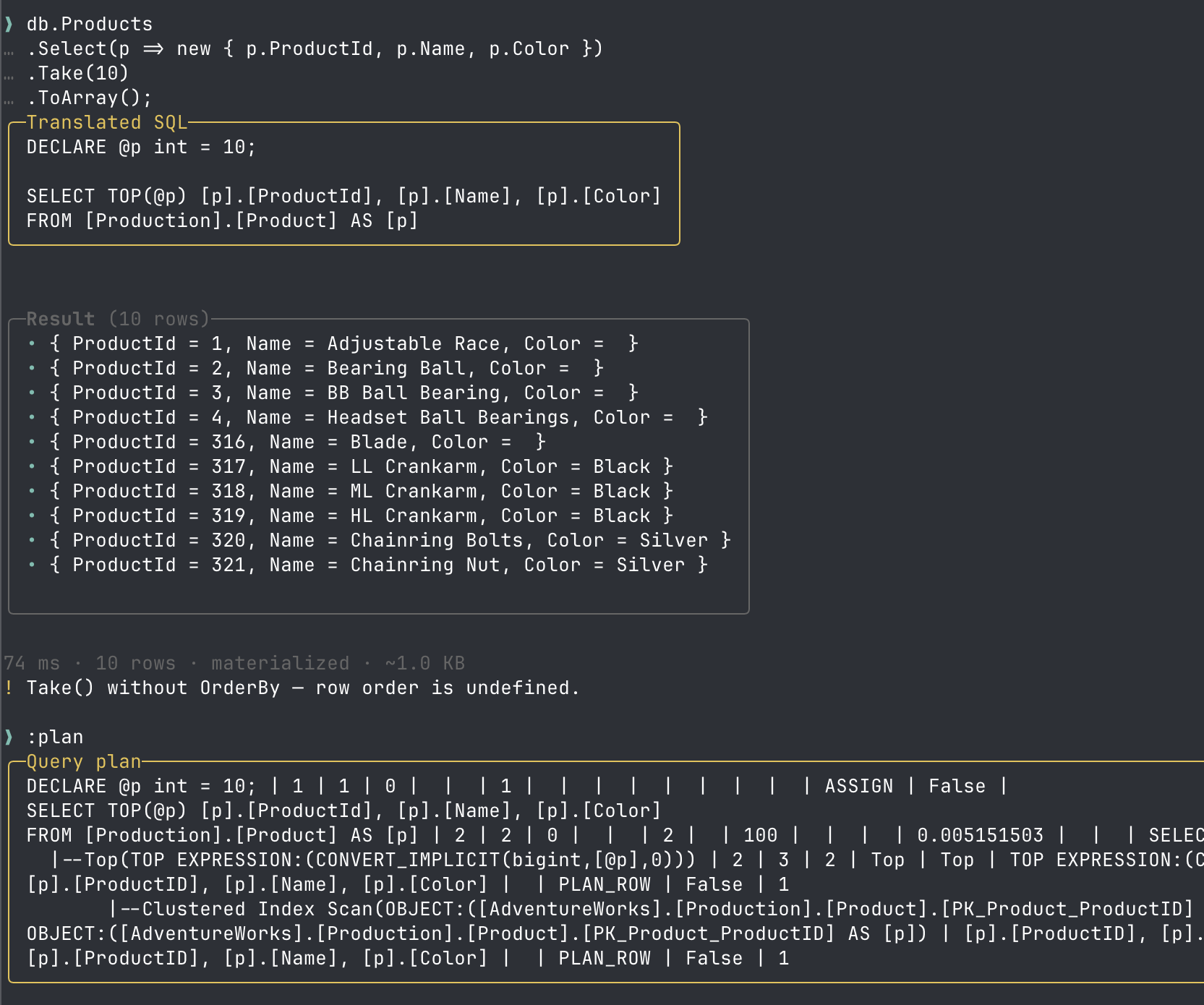
Model exploration
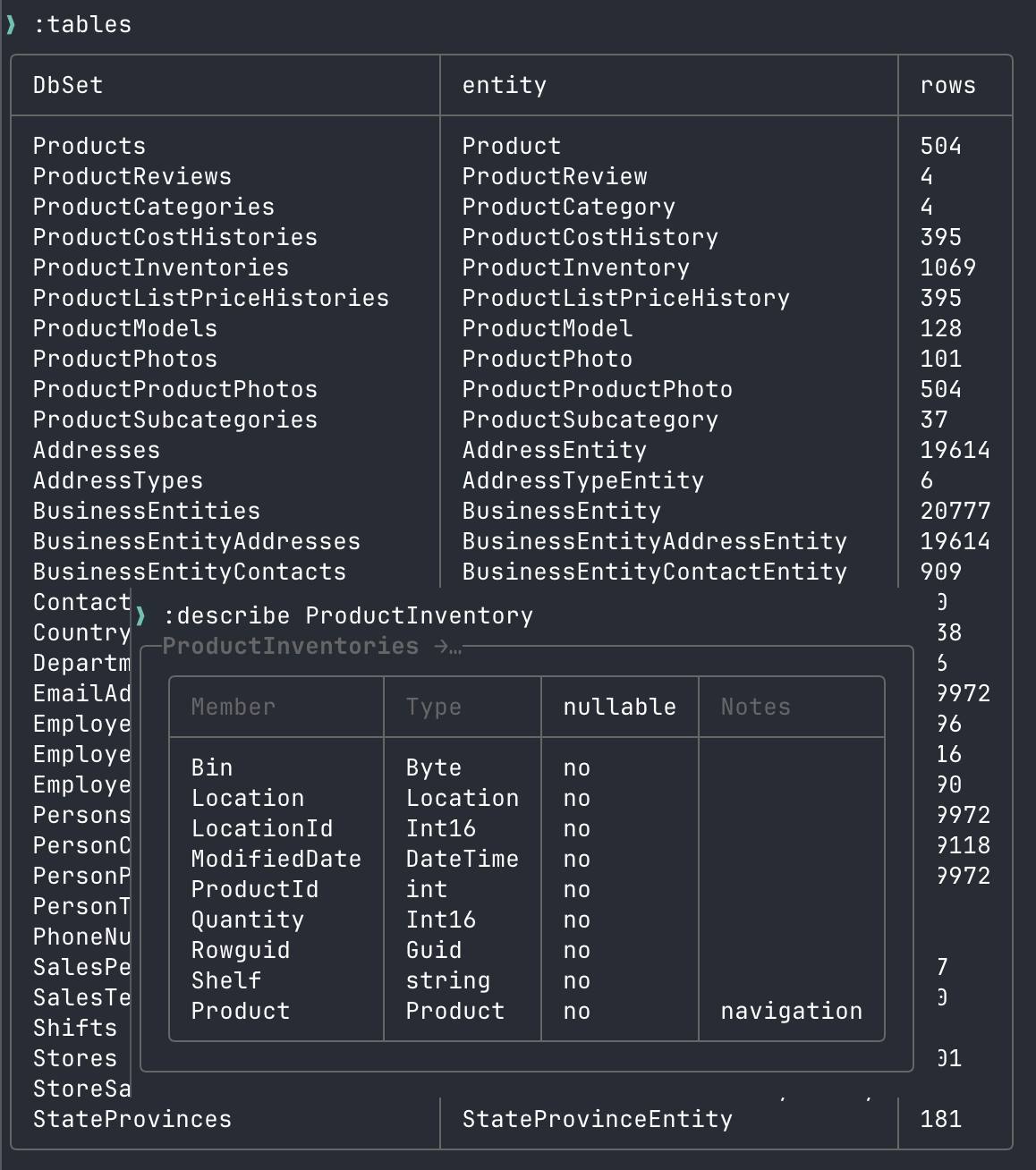
:tables — DbSets in the model:describe <entity> shows properties with PK/FK/column metadata when available.
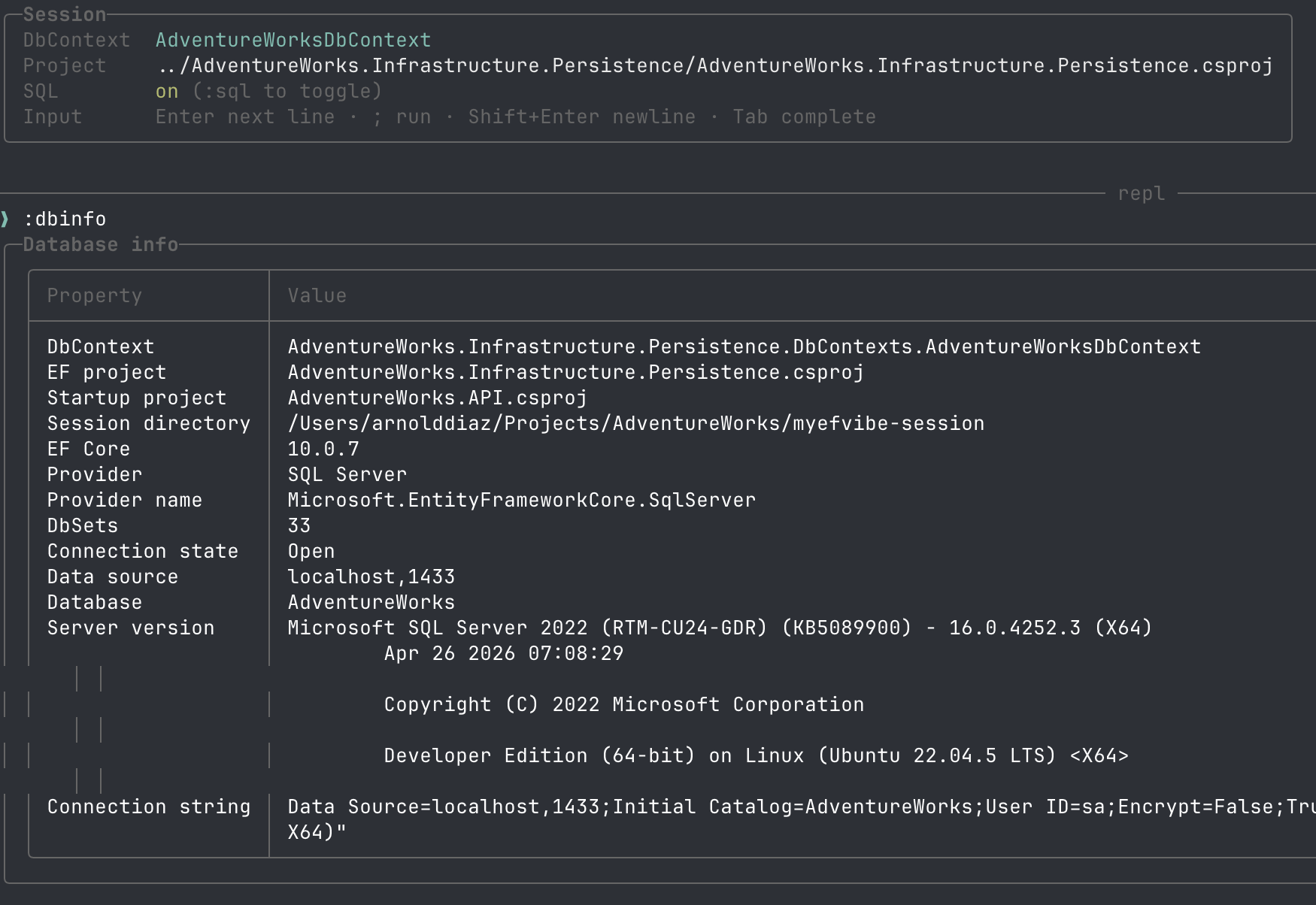
:dbinfo — provider, connection, EF versionLINQ scan (lite & deep)
Project-wide static analysis of EF-related sources with a review queue, dismissals, and saved notes.
- Lite — heuristics: client-eval, N+1, missing Take, cartesian Include, raw SQL, and more
- Deep — lite rules plus per-call-site translated SQL and EXPLAIN query plans (live database); aggregate probes (
Count(),Any(), …) translate to correct SQL - CI —
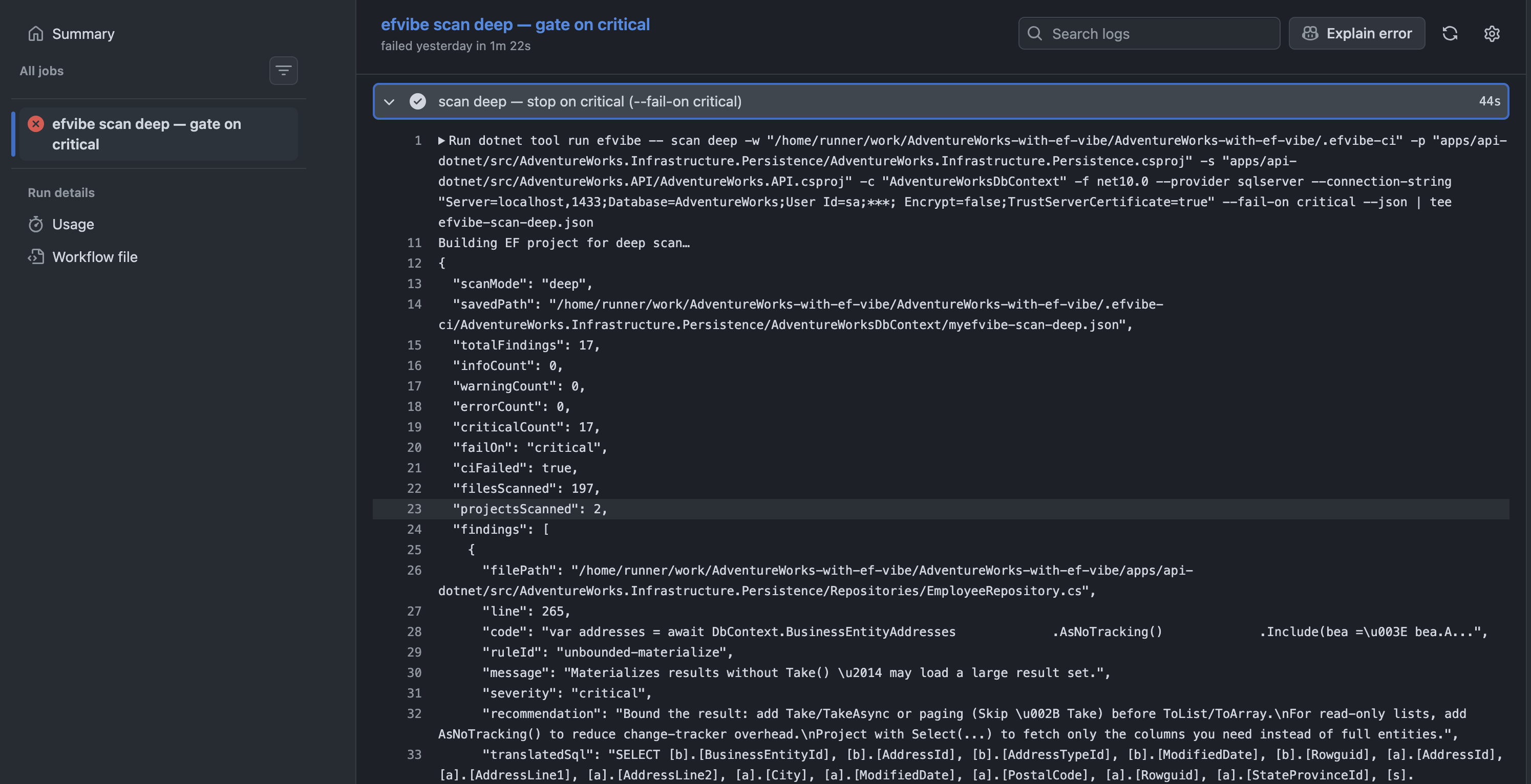
efvibe scan lite|deep --json --fail-on warning
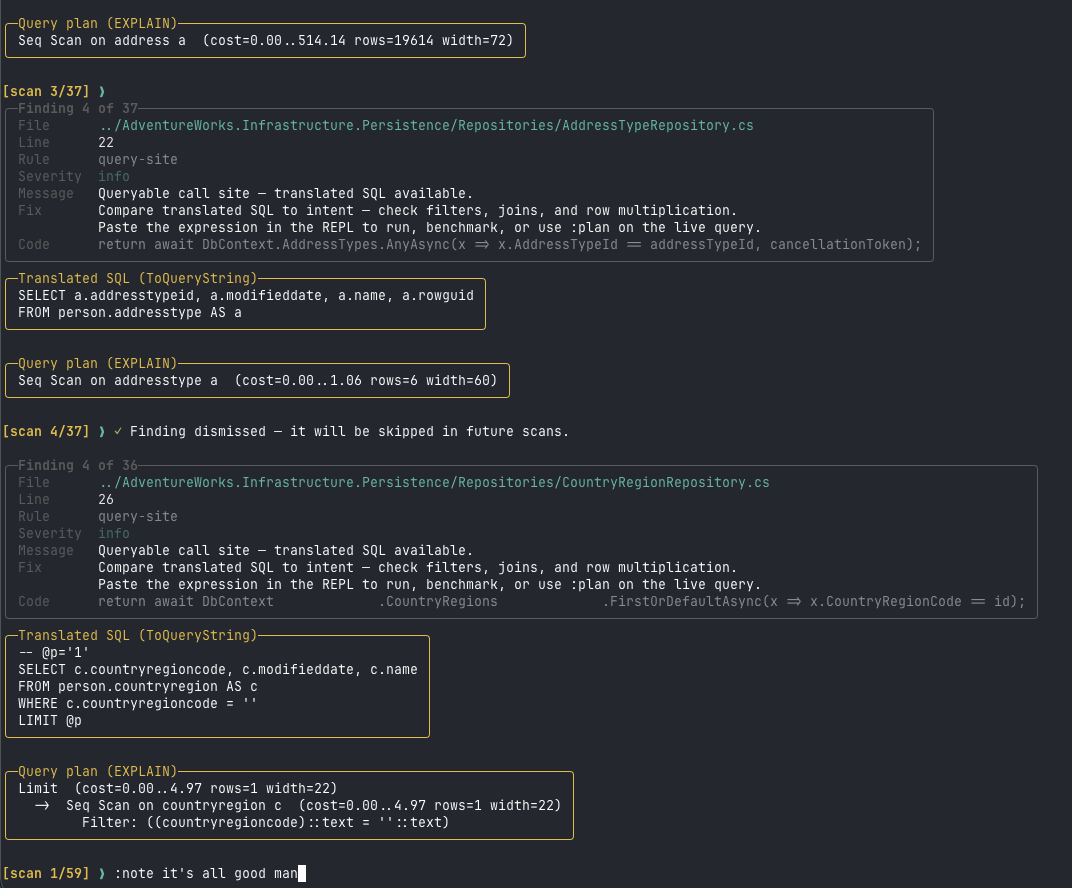
:scan deep — findings with translated SQL and EXPLAINVS Code extension
Editor-integrated evaluation and scan review (v0.6.3).
Available on the Visual Studio Marketplace
(yeahbah.vscode-efvibe).
Step-by-step setup guide →
Install in VS Code or Cursor: Extensions → search efvibe (display name My EF Vibe), or run
code --install-extension yeahbah.vscode-efvibe.
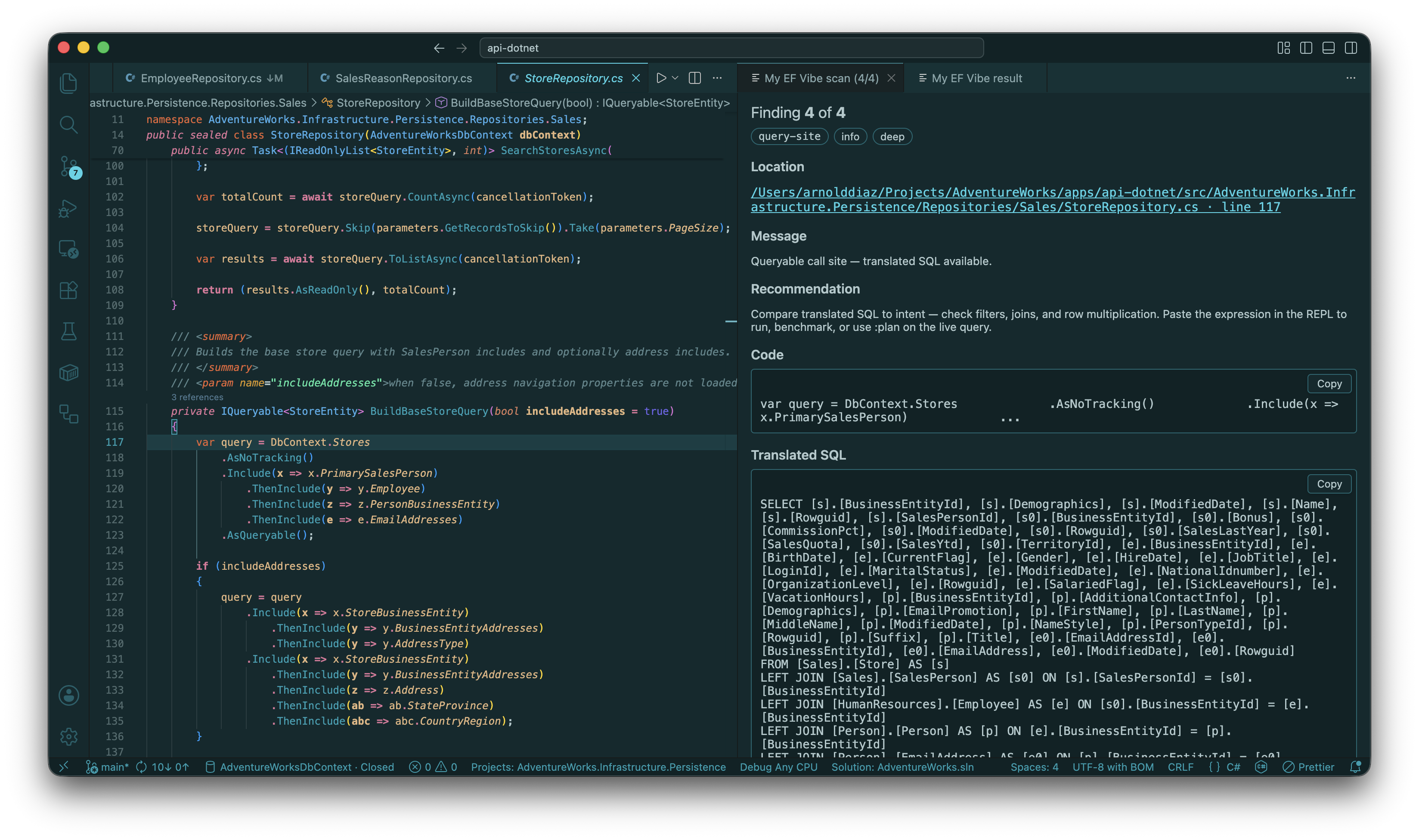
- efvibe Session sidebar — DbSets, Scan Deep, Run Query, Start REPL, session artifacts
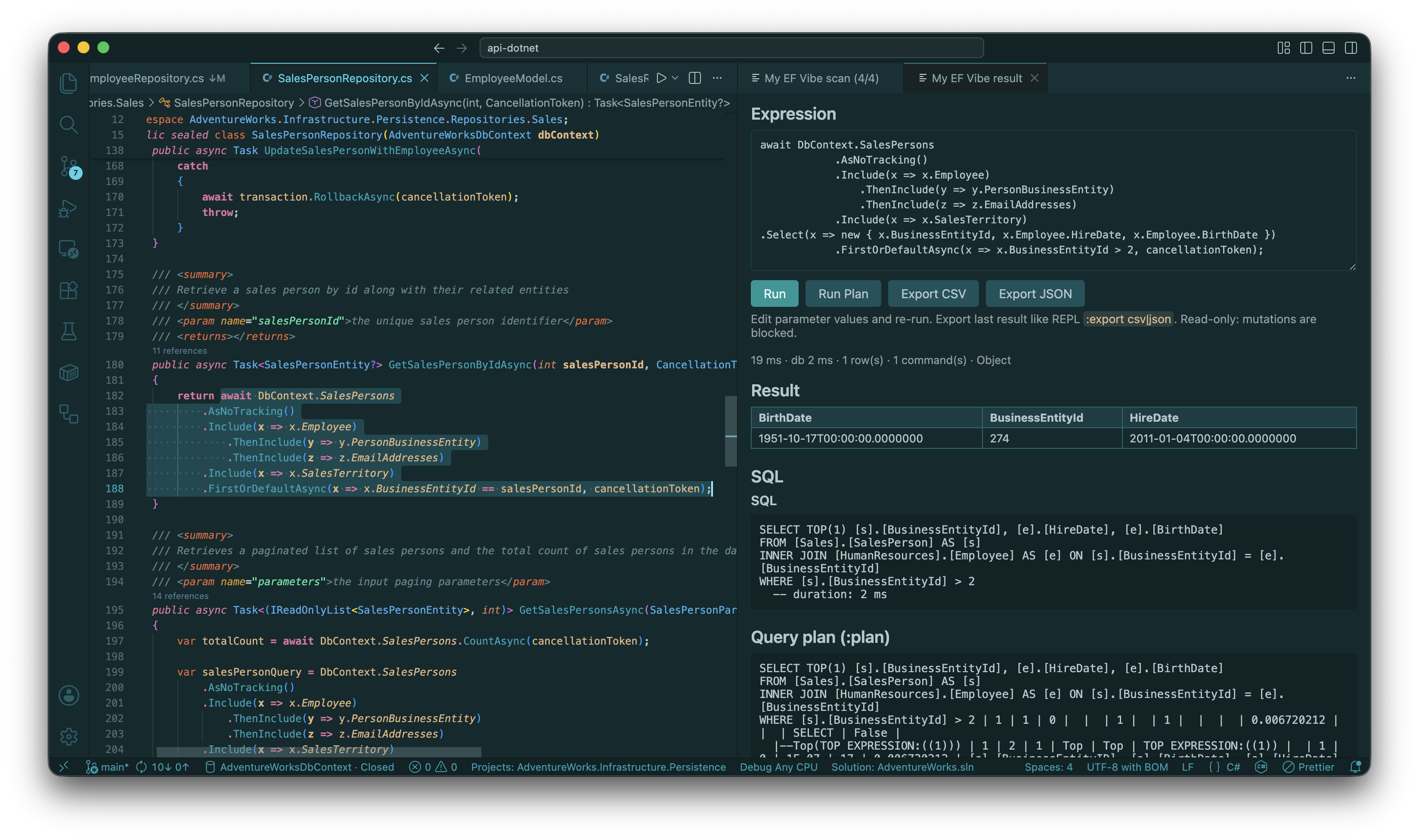
- Run Selection (Shift+Alt+E) —
efvibe serveby default for warm, fast re-runs - Result panel — edit expression, Run, Run Plan, export CSV/JSON, 📋 copy on SQL and plan blocks
- Scan Review — carousel after deep scan; Previous/Next, Dismiss, Note, clickable location
- CodeLens Run with efvibe on the first line of each query statement
- Repository snippets —
await,DbContext, parameters, and anonymous stats objects adapted automatically
Rider plugin
JetBrains Rider integration with the same efvibe engine as the CLI and VS Code.
Install from JetBrains Marketplace
— plugin id 31961 (My EF Vibe).
Step-by-step setup guide →
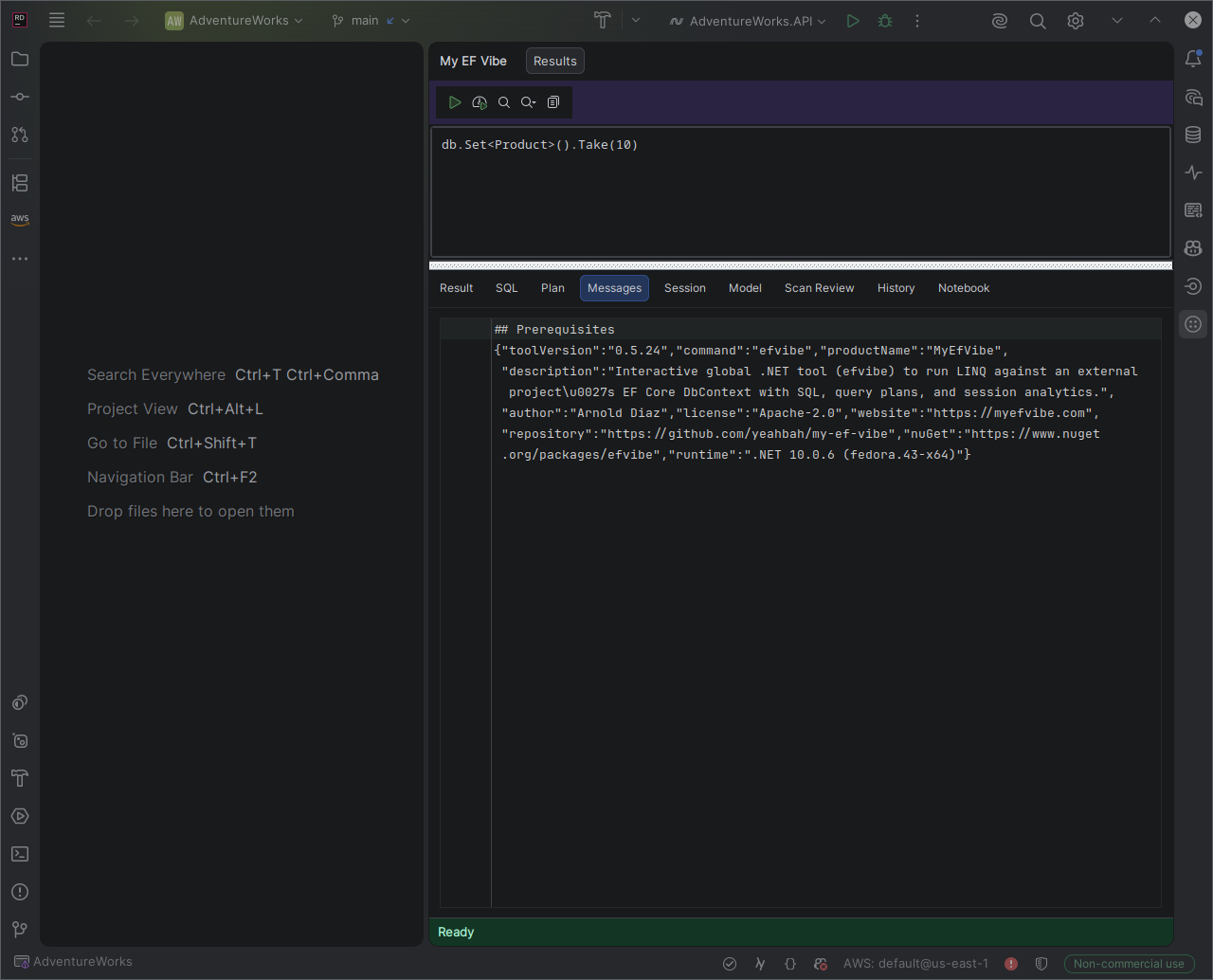
- My EF Vibe tool window — Run Selection, model actions, scan review, notebook
- Result tab — edit expression, Run, Run Plan, export CSV/JSON; Code / Result sub-tabs in notebooks
- Model tab — Db Info, Tables, Count, Sample, Describe
- Scan Lite / Scan Deep with Scan Review carousel (Previous/Next, Dismiss, Note, Go to code)
- Per-project settings — EF project, startup project, DbContext, framework, CLI path
Repository snippet adaptation
Paste handler code from your codebase — My EF Vibe prepares it for the REPL:
DbContext/dbContext→db- Strip
await, stub parameters (entraObjectId→Guid.Emptywhen compared toRowguid) - Remove
cancellationToken; convertFirstOrDefaultAsync→ sync terminals - Anonymous return objects with multiple
awaitstats (e.g.CountAsyncin projection) evaluate as a single snippet
CI/CD & headless CLI
JSON scan output, --about-json, -e --format json, and efvibe serve for editor daemons.