
CI/CD integration
Run efvibe scan in pull request pipelines to catch LINQ performance issues before merge — no REPL required.
Reference solution: AdventureWorks
The AdventureWorks sample repository demonstrates a production-style layout used in My EF Vibe integration tests:
- EF project:
apps/api-dotnet/src/AdventureWorks.Infrastructure.Persistence/ - Startup:
apps/api-dotnet/src/AdventureWorks.API/ - DbContext:
AdventureWorksDbContext - Existing CI: pr-validation.yml — DbUp, .NET API build/test, Angular lint/build
Add efvibe scan to a PR workflow
Install the tool in CI, then run a lite scan (no database required for static rules):
- name: Setup .NET
  uses: actions/setup-dotnet@v4
  with:
    dotnet-version: '10.0.x'

- name: Install efvibe
  run: dotnet tool install --global efvibe

- name: LINQ scan (lite)
  working-directory: apps/api-dotnet
  run: |
    efvibe scan lite \
      -p src/AdventureWorks.Infrastructure.Persistence/AdventureWorks.Infrastructure.Persistence.csproj \
      -s src/AdventureWorks.API/AdventureWorks.API.csproj \
      -c AdventureWorksDbContext \
      -f net10.0 \
      --json \
      --fail-on warning
Deep scan in CI
Deep scan needs a live database. Typical pattern:
- Start SQL Server / PostgreSQL service container in the workflow
- Run DbUp or migrations
- Run
efvibe scan deepwith--connection-stringand--provider, or rely on appsettings in the startup project
My EF Vibe repository CI
The my-ef-vibe project runs build and unit tests on every push;
releases publish to NuGet automatically from main.
See ci.yml.
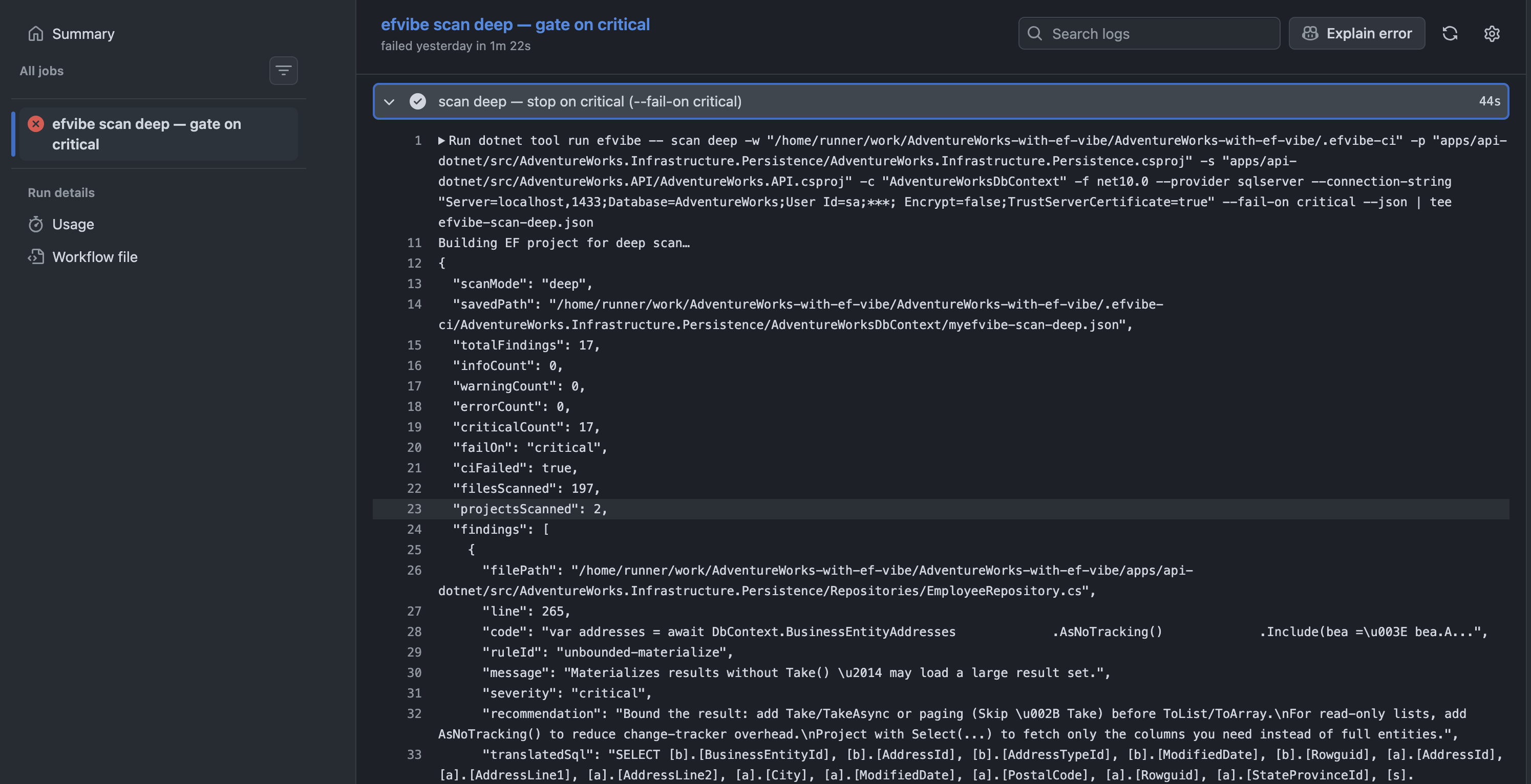
efvibe scan lite step.JSON artifacts
Upload scan JSON as a workflow artifact for dashboards or PR comments:
efvibe scan lite ... --json > scan-results.jsonFindings include filePath, line, ruleId, message, and (deep) translatedSql.
Tip: Use
--respect-dismissals when myefvibe-scan-dismissals.json is committed or restored from cache for known-safe patterns.